Can you read your X (Twitter) bookmarks offline?
X has no offline mode for bookmarks. Here is how to save them as one HTML file you can open in any browser, search and filter without X, and what still needs a connection.
Not in X itself. The bookmarks page needs a connection, and X has no download button for it. What you can do is save your bookmarks as an offline viewer: a single HTML file that opens in any browser and lets you read, search and filter every saved post without X.
This guide makes that file with Creel, a Chrome extension I make. It reads your bookmarks through the X session already signed in to your browser and writes the file to your computer. The offline viewer is part of the free plan.
What the offline viewer can do
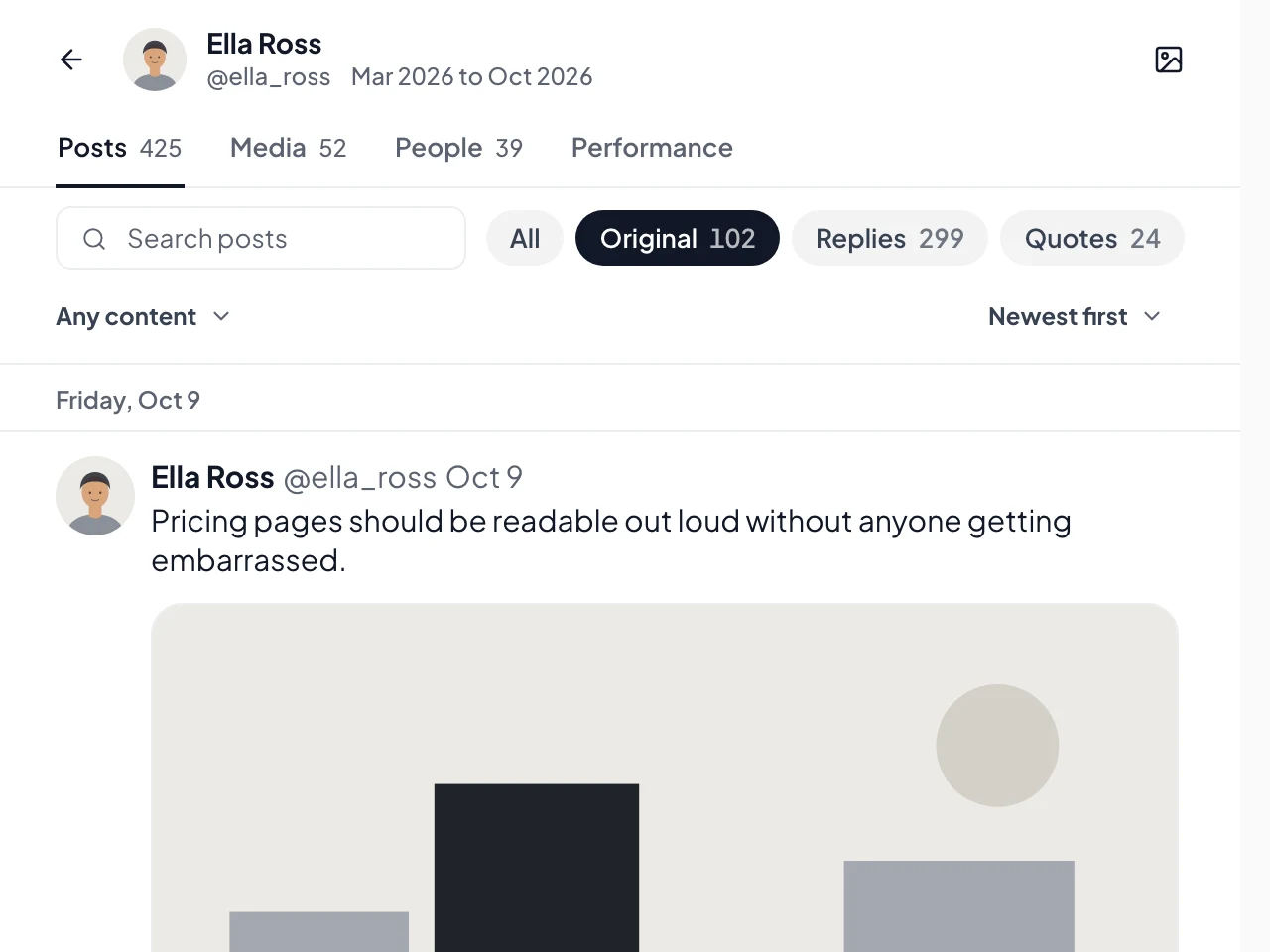
- Search the text, quoted posts, link titles, names, handles and image descriptions. Quoted phrases work, and so does pasting a post's link to find it.
- Filter by type (original posts, replies, quotes, reposts), by content (media, links) and by year, month, day or hour.
- Sort newest first, oldest first or by most liked.
- Browse a Media tab, a People tab with the accounts that show up most, and a Performance tab with the numbers.
It is one .html file for up to 20,000 posts. Larger exports come as a ZIP with an index.html inside; unzip it and open that.
What still needs a connection
- Images load from X when you are online. The viewer has an Images switch: From X shows them, Off keeps the page text-only.
- Videos show their preview image. Playing them needs the video file itself, which Creel saves only for media exports from a profile, on Pro.
- Links in posts open the web as usual.
The text, authors, dates and numbers are all inside the file, so the reading and searching work on a plane.
Step by step
- Install Creel from the Chrome Web Store and pin it to the toolbar.
- Open your bookmarks on X (x.com/i/bookmarks) and click the Creel icon. Start the export it offers. If you use bookmark folders, you can pick one folder or all bookmarks.
- Open the Download Manager from the popup and wait for the export to finish. A long one keeps going if you switch tabs.
- Open Download options on the finished export, choose Offline viewer (HTML) under Format, and click Download offline viewer.
- Open the file from your Downloads folder. Keep it anywhere: a synced folder, a USB stick, another computer.
Keeping it current
The file is a snapshot of the day you made it. To include newer bookmarks, export again and download a new viewer; the old file keeps working.
Questions
Does it work for likes and my own posts too? Yes. Every post export has the offline viewer: bookmarks, likes, a profile's posts and threads.
Is anything uploaded? No. The file is built in your browser and saved to your computer. Creel has no server that sees what you collect.
How many bookmarks can I save? The free plan saves up to 1,000 per export. Pro, a one-time $19.99, has no Creel limit. See the Creel page for the plans.
For a spreadsheet of the same bookmarks, see how to export your X bookmarks.