How to export your X (Twitter) bookmarks, folders included
Save every X bookmark, or one bookmark folder, as a CSV, Excel or JSON file and an offline viewer, without the X archive. Step by step, with what each file contains.
X keeps your bookmarks inside X. There is no export button, and the archive you can request in your account settings is not the answer either: X's own page on downloading your archive lists your profile, posts, messages and media, and says nothing about bookmarks.
This guide shows how to get them out as files with Creel, a Chrome extension I make. It works from the X session already signed in to your browser, and the files are written on your computer. Nothing you collect is sent to a server.
What you get
- A spreadsheet: one row per saved post, as CSV or Excel.
- JSON or JSONL if you want to process the posts in a script.
- An offline viewer: a page to read and search every saved post without opening X. Images load from X when you are online.
- Folder labels on each post, if you use bookmark folders on X.
The free plan exports up to 1,000 bookmarks per export, with no account. Pro has no limit.
Step by step
-
Install Creel from the Chrome Web Store and pin it to the toolbar.
-
Open your bookmarks on X: x.com/i/bookmarks, signed in as yourself.
-
Click the Creel icon. It sees that you are on your bookmarks and offers to export them.
-
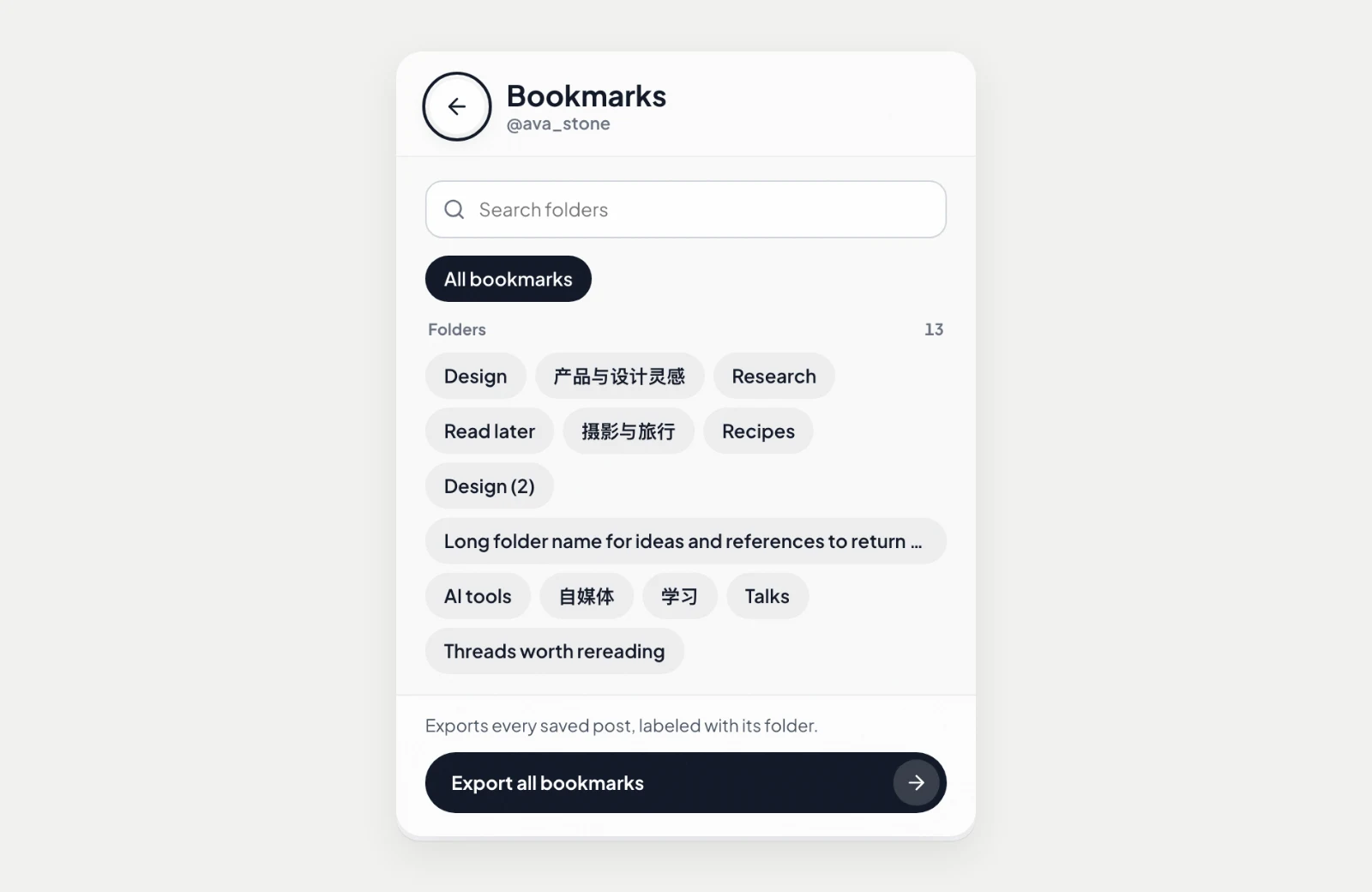
Choose the scope. "All bookmarks" saves everything. If your account has bookmark folders, each folder is listed too, so you can export just one.
-
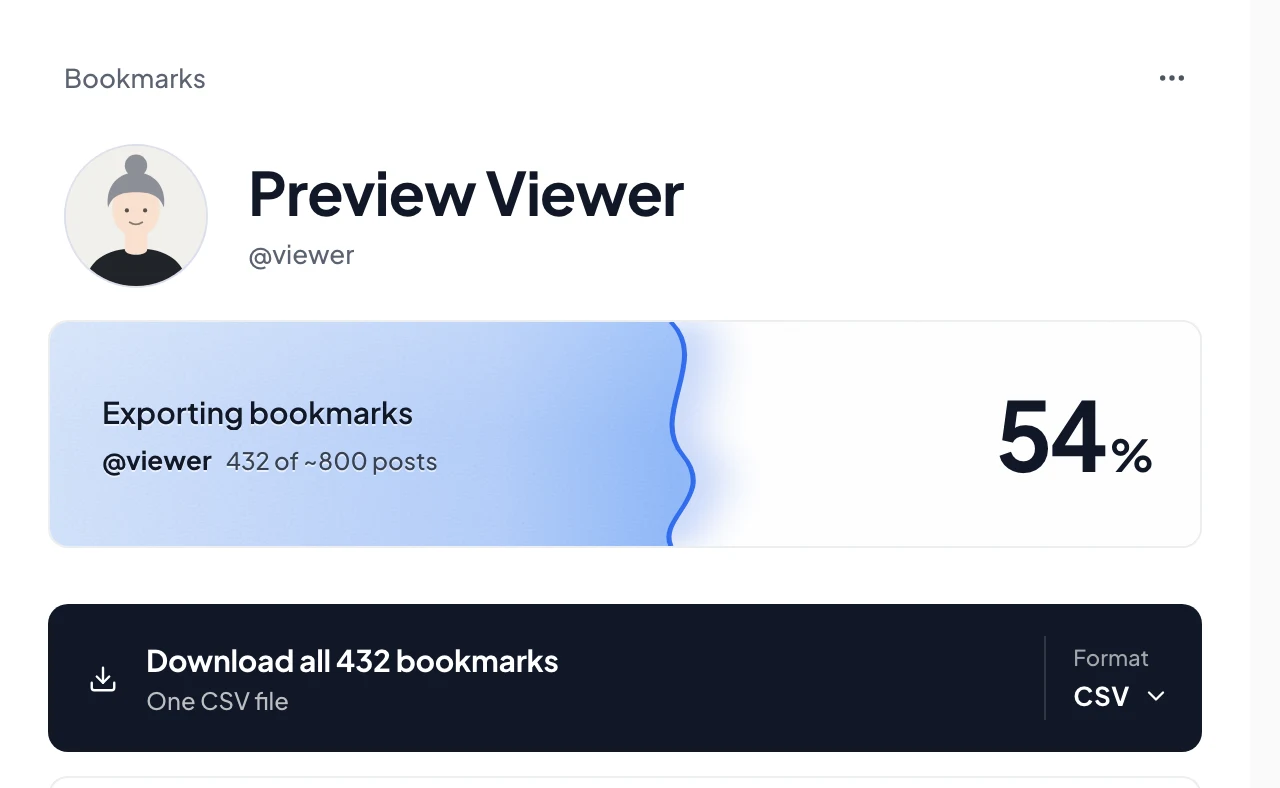
Start. The popup shows the count as it goes. Open the Download Manager from the popup to follow every export; a long one keeps running if you switch tabs and picks up again after a pause.
-
Download. In the Download Manager, pick a format: Spreadsheet (CSV or Excel), JSON, or the offline viewer.
What is in the spreadsheet
Each row is one saved post. The columns that matter most:
| Column | What it holds |
|---|---|
tweet_url | The link back to the post |
created_at | When the post was written, in UTC |
author_username, author_display_name | Who wrote it |
text | The text as X returns it, including long posts |
like_count, retweet_count, reply_count, bookmark_count, view_count | The numbers when the post was collected |
media_types, media_urls, media_alt_texts | Attached photos and videos, in order |
link_url, link_title | The link card, if the post has one |
quoted_text, quoted_username | The post it quotes |
bookmark_folder_names | The folders you filed it in |
bookmark_classification | filed if it is in a folder, unfiled if Creel read every folder and it is in none, otherwise unknown |
Excel gets real date cells, so you can sort and filter by date straight away. IDs stay as text, so long X IDs are not rounded.
Folders: what to expect
- Folders show up only if your account has them; X offers bookmark folders to some accounts and not others.
- Exporting "All bookmarks" still labels each post with its folders, so one export gives you everything and a way to filter by folder later.
- If X does not return your folder list during an export, Creel tells you, and the file has every saved post without folder labels. If a folder becomes unavailable partway, Creel names it, and posts it could not place are marked
unknown.
Photos and videos
The spreadsheet links to each image and video. Saving the files themselves, in a folder or as ZIP archives, is part of Pro.
Other ways, honestly
- The X archive: X's description of it does not list bookmarks, so this guide uses a live export. The archive is still worth requesting for your own posts and likes.
- Open-source userscripts such as twitter-web-exporter can export bookmarks too, if you are comfortable installing a userscript manager.
- Readwise can import your X bookmarks into Readwise: once you connect X, new bookmarks come in daily, and older ones need a backfill through its browser extension (Readwise's guide). If you already use Readwise and only want them there, you may not need a file at all.
Creel is the option if you want files you keep: a spreadsheet, the offline viewer, folder labels, and the same tool for your likes, posts and followers.
Questions
Does it work on someone else's bookmarks? No. Bookmarks are private on X; you can only export your own.
Is my data sent anywhere? No. Creel talks to X from your browser and saves files on your computer. If you connect an Ensoul Lab account for Pro or Max, Creel also checks your licence from time to time; nothing you collect goes with it.
What if I have more than 1,000 bookmarks? The free plan stops at 1,000 per export and tells you. Pro is a one-time $19.99 with no limit; see the Creel page for the plans.